Introducing ToadTurret Lite
From detection to a targeted spray
ToadTurret uses a camera and AI to detect cane toads, then aims and delivers a brief, targeted spray.
A closer look before taking action
White light helps the camera capture the colour and texture the AI needs to recognise cane toads after dark.
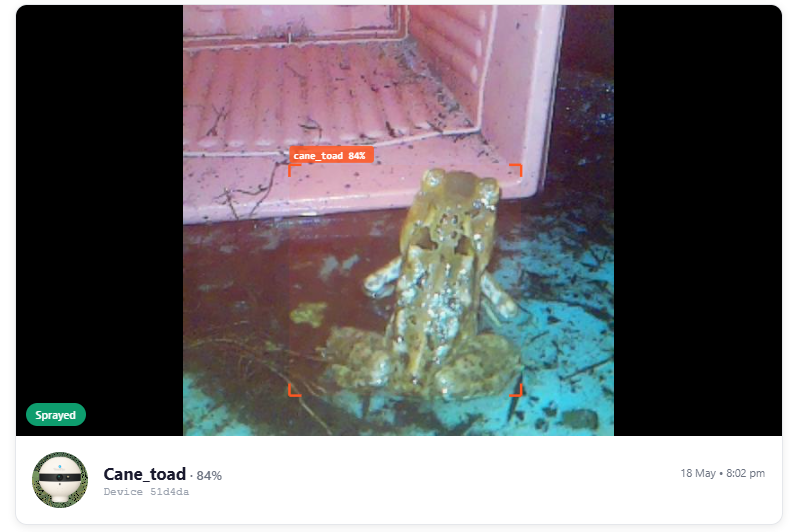
Recognise a cane toad
Trained on thousands of real cane toad images from Australian properties, the AI looks at shape, size, skin texture and appearance.
Check before spraying
With WiFi, an independent cloud model checks ToadTurret’s detections. Lite uses cloud analysis for all detections.
If the cloud check detects a native frog, pet or bird, spraying pauses to let the animal move away.
No AI is perfect. Misidentification is possible. The system is designed to take no action when uncertain, but its checks cannot eliminate every error.
A brief spray, aimed at the toad
Once a toad is confirmed, ToadTurret aims at it and delivers a brief spray. Here’s a real ToadTurret Lite spray, with the moment of impact slowed down.
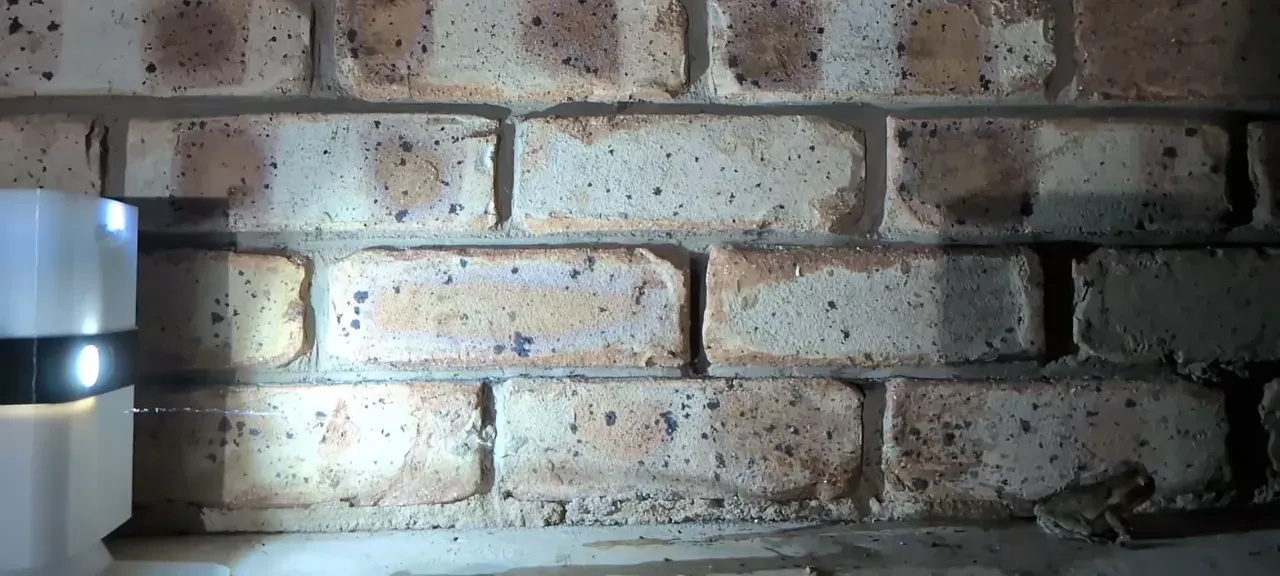
Directed at the target
The device uses the toad’s position in the image to aim the spray and limit its coverage.
Adjusted for your setup
Fine-tune the targeting window from the app or web dashboard to suit where you place your device.
The right fit for your connection
Both models detect cane toads and aim a targeted spray. The key difference is where the AI runs, and whether you need an internet connection.
| ToadTurret | ToadTurret Lite | |
|---|---|---|
| AI detection | Runs on the device | Runs in the cloud |
| Internet | Optional for detection and spraying | Required for detection and spraying |
| Cloud checks | A second opinion when connected to WiFi | Part of its cloud analysis |
Connect either model to WiFi for detection photos, activity logs and remote access in ToadOps.
Explore devices and kitsReview what happened overnight
When connected to WiFi, detection photos and activity are uploaded to your ToadOps dashboard, ready to review from your phone or the web.
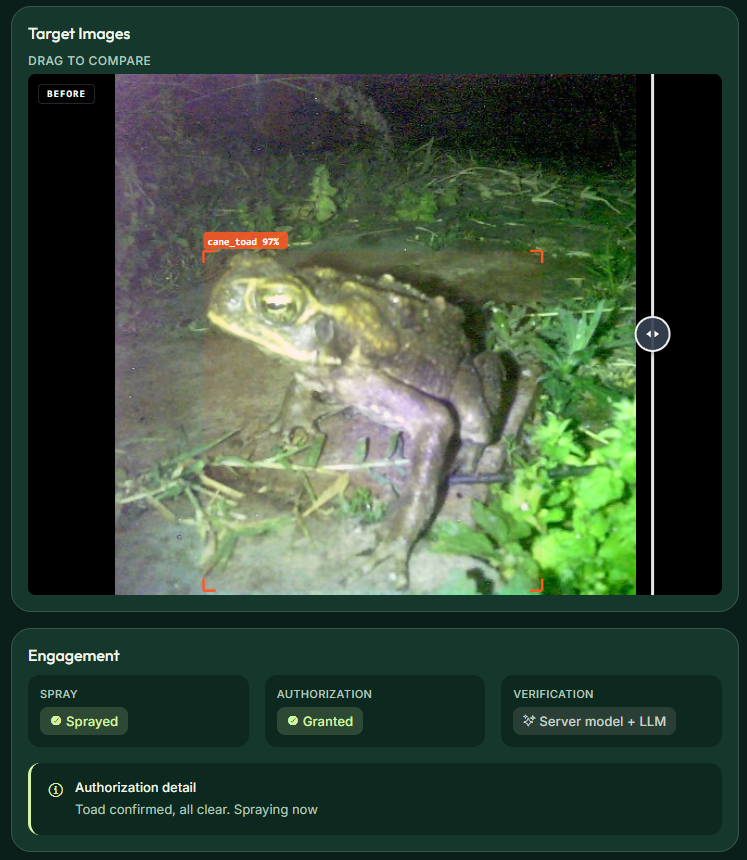
Inspect the detection
See what the camera captured, where the AI found the toad and how confident it was.
Check the result
Compare images from before and after the spray, and see how the detection was verified.
Follow the night’s activity
Review detections, safety pauses and system events alongside your device’s status and health.
Explore the dashboard and controls
Getting Started
Connect your device
Use Bluetooth on your phone or computer to connect in ToadOps, then follow the WiFi setup steps. WiFi is optional for ToadTurret and required for Lite.
Use the web dashboard, or contact us for access to the iOS or Android app.
Ongoing Updates
Help improve detection
Report a misidentification from your dashboard. We review reported images and use them to train and test future AI models before release.
ToadTurret receives updates over the internet. Lite uses the updated cloud models.