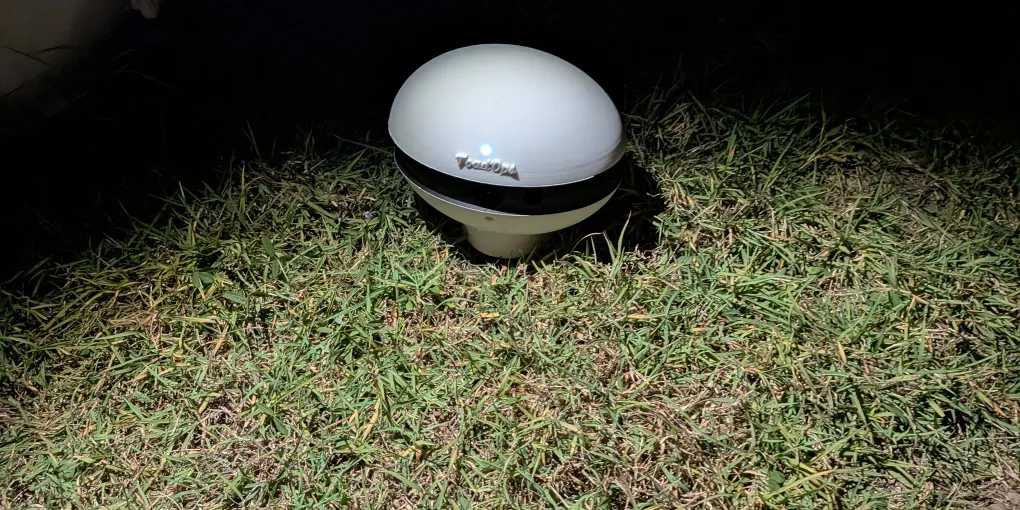
Running ToadTurret on Solar Power
Not every good toad spot has a power outlet nearby. If your best location is out in the paddock, near a dam, or anywhere away from mains power, a solar setup lets you run your ToadTurret off-grid.
A solar kit will be sold through the ToadOps store with everything you need, but this guide covers how solar-powered operation works so you know what to expect.
How Much Power Does ToadTurret Need?
ToadTurret is not a power-hungry device. Typical draw is around 1 to 3 watts during normal operation, with short peaks when the device is booting up, actively scanning, or running the spray pump.
For context, that is roughly comparable to a phone charger. The key consideration is that the device runs at night when toads are active, which means it needs to draw from a battery rather than directly from the solar panel during its operating hours.
What You Need
A basic solar setup for ToadTurret consists of:
- A solar panel large enough to charge the battery during daylight hours
- A battery (typically 12V AGM battery) to store energy for overnight use
- A charge controller to manage charging and prevent overcharging the battery
- A way to deliver 12V to the device. ToadTurret needs a 12V 3A supply. Depending on your battery setup, you might use a USB-C PD charger with a PD trigger cable connected to a battery with USB-C PD output, or a direct 12V battery connection with the appropriate cable.
The ToadOps solar kit includes a compatible panel, battery, and the necessary cables. If you are putting together your own setup, make sure the output can provide a steady 12V at 3A.
Panel Sizing
For most setups, a panel rated at 40W or above will comfortably keep the battery topped up. This accounts for:
- The device drawing power overnight
- Variable sunlight (cloudy days, winter, partial shade)
- A reasonable safety margin
If the panel only gets partial sun (under a tree, south-facing in Australia), consider going larger. A larger panel gives you extra headroom and handles cloudy stretches better.
Battery Sizing
The battery needs to hold enough charge to run the device through the night and into the next morning until the panel starts charging again.
A rough calculation:
- ToadTurret draws roughly 1 to 3 watts on average
- A busy night of scanning runs for about 10 to 12 hours
- At 3 watts, that is roughly 30 to 36 watt-hours of energy
- A 12V battery with 12Ah capacity holds about 144 watt-hours, which provides a comfortable margin
In practice, anything over 12Ah at 12V works well. Larger batteries give you more buffer for cloudy days when the panel does not fully recharge.
Positioning the Panel
- Face the panel north (in Australia) for maximum sun exposure
- Angle it towards the sun. A tilt of roughly 20 to 30 degrees from horizontal works well in Queensland. Adjust for your latitude.
- Avoid shade. Even partial shade on a solar panel significantly reduces output. Keep it clear of trees, buildings, and other obstructions.
- The panel does not need to be right next to the device. You can run a cable from the panel and battery to the ToadTurret if the best sun spot and the best toad spot are in different places. Just keep the cable run reasonable to minimise voltage drop.
Positioning the Device
The ToadTurret itself should be positioned based on where toads are, not where the sun is. See our best practices guide for detailed positioning tips.
The key points for solar setups:
- Place the device where toads are most active (near water sources, garden edges, outdoor lights)
- Make sure the camera has a clear view of the ground
- Try to find a cool or semi-shaded spot for the device itself to avoid overheating. This is separate from the solar panel, which obviously needs sun.
What to Expect
On sunny days, the panel will fully recharge the battery well before sunset, and the device will run through the night without issue.
On cloudy days, the panel will still charge but at a reduced rate. A well-sized battery and panel combination will handle a cloudy day without problems. Multiple consecutive cloudy days might draw the battery down.
In winter, both solar input and toad activity are lower. If you’re not reaching full charge a larger battery or panel may be required but you can also try reducing your scan interval.
WiFi and Solar
If the device is positioned away from your home, WiFi connectivity might be an issue. Without WiFi, ToadTurret still detects and sprays cane toads using its on-device AI. You just will not get the cloud-based verification, dashboard images, or push notifications until it reconnects.
Options if WiFi does not reach:
- A WiFi extender or mesh network node positioned partway between the house and the device
- Accepting offline operation for remote placements. The device logs detections locally and will upload when it next connects to WiFi. However, keep in mind that the device runs in “read-only” mode which means any stored sightings will be lost if the device restarts e.g. due to power loss.
Maintenance
Solar setups are generally low maintenance:
- Keep the panel clean. Dust, leaves, and bird droppings reduce output. A wipe with a damp cloth every few weeks keeps it performing well.
- Check the battery. Most modern batteries are maintenance-free. If you are using a lead-acid battery, check fluid levels periodically.
- Inspect cables. Outdoor cables can be chewed by animals or degraded by sun exposure. Give them a visual check every now and then.
- Top up the spray reservoir. Running on solar does not change how often you need to refill the spray. Check it whenever you check the panel.
- Avoid Lithium based batteries unless experienced. Lithium batteries can be dangerous if not handled correctly and can be damaged by overcharging or over-discharging. This is especially important in hot climates like QLD, NT and WA.
Questions?
If you have questions about running ToadTurret on solar, get in touch. We are happy to help with sizing and setup advice for your specific property.
- Check the ToadOps store for solar kits and accessories
- Read our getting started guide for the full device setup walkthrough
- See the troubleshooting guide if you run into issues