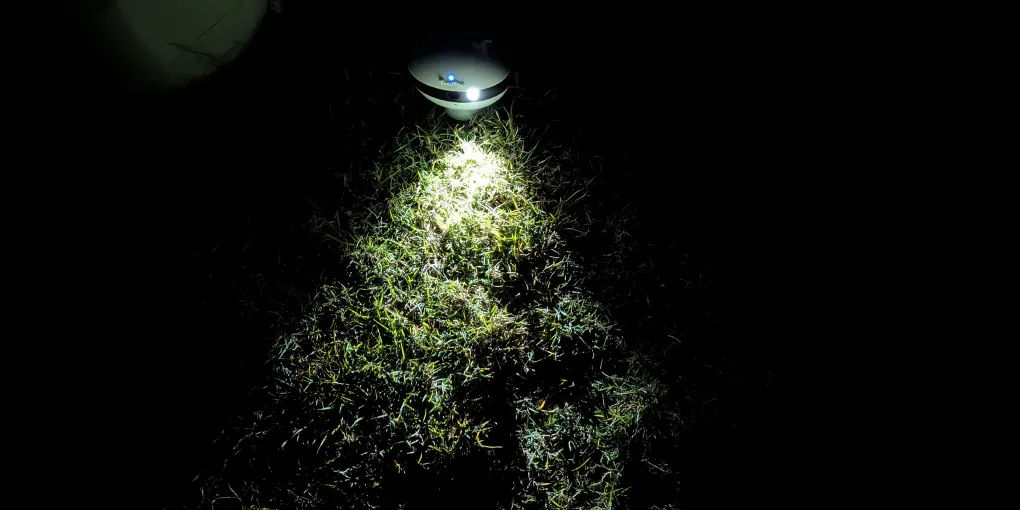
Getting the Most Out of Your ToadTurret: Tips and Best Practices
So your ToadTurret is set up and running. Nice one. But are you getting the best results from it? The difference between “it caught a couple” and “it is nailing them every night” often comes down to a few simple tweaks.
These tips come from real-world testing on our hobby farm in Lowood, Queensland. We have tried plenty of setups and this is what we have found works best.
Positioning Your Device
Where you put your ToadTurret is the single biggest factor in how well it performs. Get this right and everything else follows.
The best spots to try:
- Near water sources. Garden taps, pet water bowls, irrigation lines. Toads are drawn to moisture, especially on warm nights. If you are using an essential oil-based spray solution, keep the device away from ponds, dams, and waterways. Clove oil is toxic to fish and aquatic species.
- Along known toad paths. Toads are creatures of habit. If you have seen them taking the same route through your yard, that is where you want the device.
- On flat, open ground. The camera needs a clear, unobstructed view of the ground in front of it. Avoid areas with tall grass, garden clutter, or overhanging branches that might block the field of view.
- Avoid water pooling. Rain is not a problem, but do not place the device somewhere that standing water might collect around it. If it ends up in a deep enough puddle the water can seep into the electronics.
- Shade. A cool or semi-shaded spot will prevent the device from overheating in summer. Overheating can significantly decrease the longevity of your turret.
- Away from pet resting areas. If you are using an essential oil-based spray, keep a reasonable distance from kennels, dog beds, and anywhere pets sleep. Some dogs and cats are sensitive to essential oils.
Understanding Toad Behaviour
Knowing when and where toads are most active will help you get the best out of your device.
- Toads are nocturnal. They come out after dark and are most active from dusk through to the early hours of the morning.
- Warm, humid nights are peak time. After rain on a warm evening, toad activity goes through the roof. These are the nights you will see the most detections.
- Summer and wet season bring the most toads. This is when they are breeding and feeding most actively.
- Winter and dry spells are quieter. Do not worry if your detection numbers drop during cooler or drier periods. That is normal. Toads will be lethargic and leave their hiding spots less often.
- Check your dashboard after warm, rainy nights. If your device is connected to WiFi, have a look at the dashboard the morning after a humid night. This is when you’d expect to see the most detections.
Reviewing Your Sighting Images
Every time ToadTurret detects a toad, it captures an image. These images are uploaded to your dashboard when the device is connected to WiFi, and they are one of the most useful tools you have.
- Look at the confidence levels. Each detection comes with a confidence score, showing how certain the AI is that it is looking at a cane toad. Higher confidence means a stronger match.
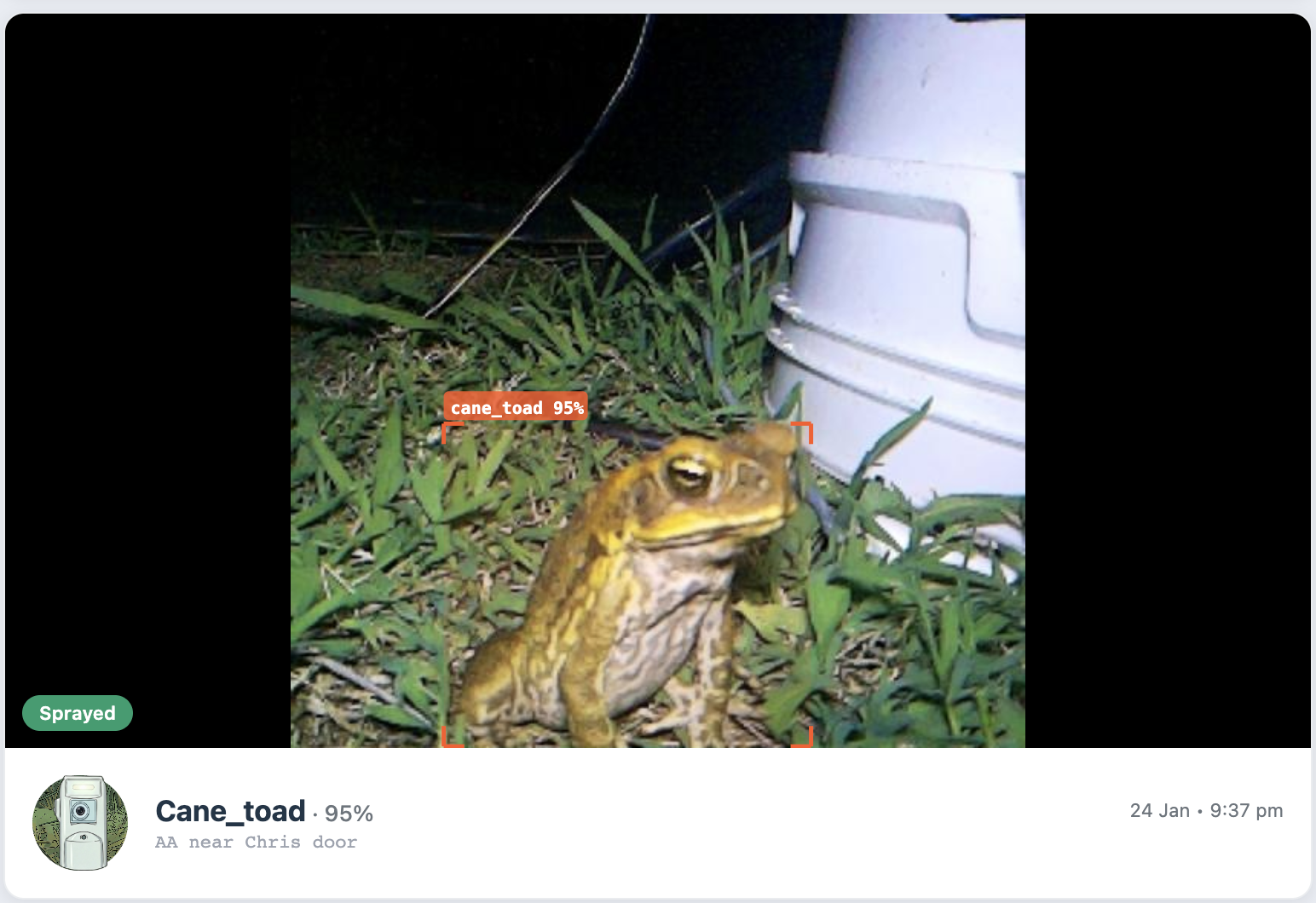
- Check for false positives. The AI is good, but it is not perfect. You might occasionally see something our turret needs more training to identify - a large beetle, a leaf, or a shadow flagged as a detection. That is normal, and the system is improving all the time.
- Use images to find toad hotspots. If you are getting lots of detections in one spot but fewer in another, consider repositioning the device to cover the busier area.
- Review after big nights. The mornings after warm, rainy nights usually have the most interesting images. This is when you will see the highest activity.
Maintenance and Care
ToadTurret is designed to be low maintenance, but a little attention goes a long way.
- Keep the camera lens clean. Out in the garden, dust, cobwebs, and moisture can build up on the lens over time. A quick wipe with a soft cloth once a week keeps the image quality sharp and the detections accurate.
- Check the spray reservoir. If you are running the device in spray mode, make sure the reservoir is topped up with your chosen solution. A dry reservoir means the device detects but cannot respond.
- WiFi connection. If your device is connected to WiFi, it will reconnect automatically after outages. But it is worth checking occasionally that it is still online, especially after storms or router restarts.
- Software updates. When connected to WiFi, your device receives updates automatically. There is nothing you need to do. It just stays current.
- After storms. Heavy wind or rain can shift the device or leave debris in front of the camera. After rough weather, do a quick check to make sure everything is still in position and the view is clear.
- Corrosive sprays. If you’re using a spray that may damage some plastics you may need to periodically replace the tubing, nozzle and potentially the tank.
Advanced Tips
Once you have the basics sorted, here are some ways to fine-tune your setup.
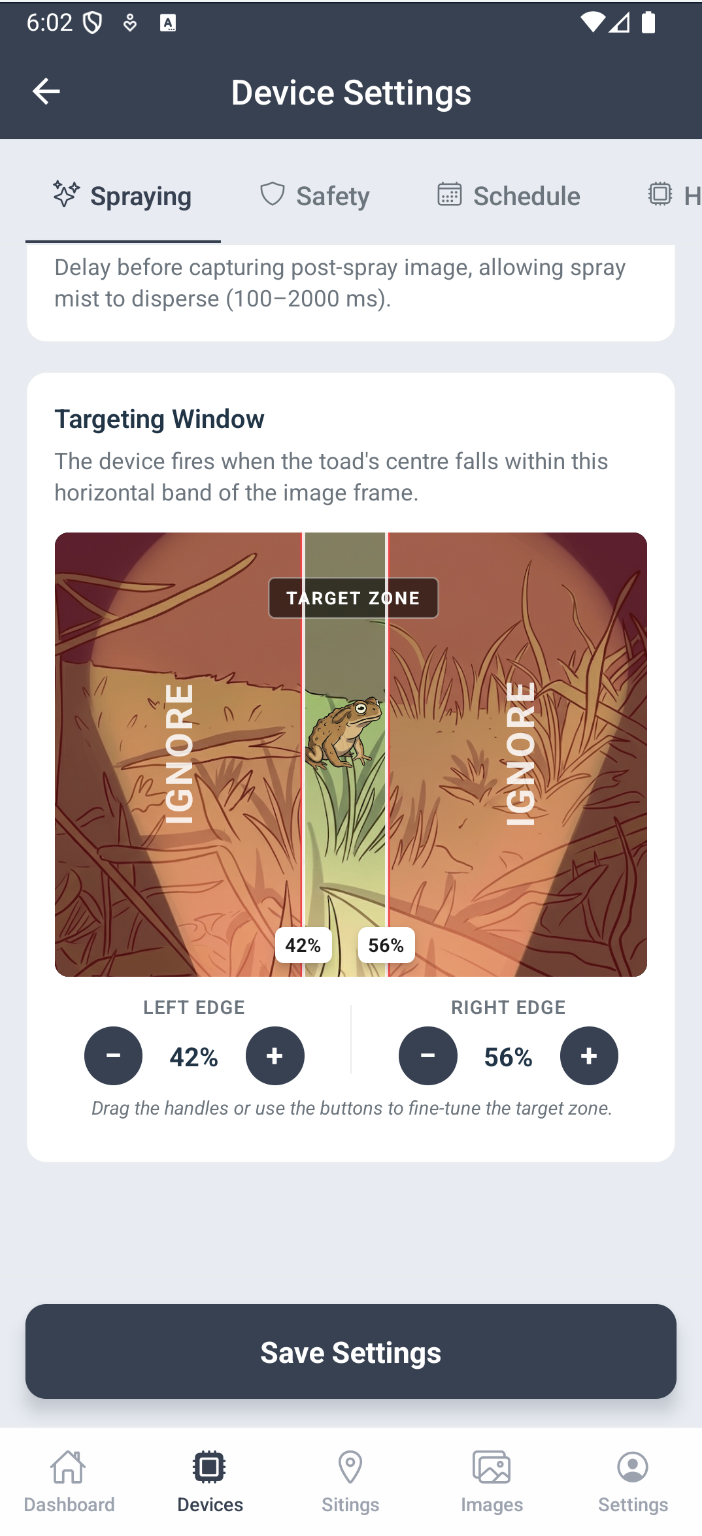
- Adjust targeting sensitivity. Via the app or web dashboard, you can tweak how aggressively the device responds to detections. If you are getting too many false positives, increase the minimum confidence level. If it’s overlooking some toads you can lower the confidence level. However, be careful not to set it too low as this may result in accidentally spraying native frogs or other animals.
- Review your activity logs. The dashboard shows system events including detections, safety pauses, connection changes, and more. Reviewing these can help you understand what the device is doing and when.
- Reposition seasonally. Toad activity patterns shift through the year. A spot that was busy in January might be quieter by June. Moving the device to follow the action can make a real difference.
- Keep pets inside at night. This is good advice regardless, but it also helps the device. When ToadTurret detects a non-toad animal (like a dog or cat), it pauses as a safety precaution. Fewer pets wandering past means fewer pauses and more effective operation.
Reading Your Dashboard
If your device is connected to WiFi, the dashboard gives you a window into what is happening in your yard after dark.
- Recent Sightings. The latest detections with captured images. This is the first thing to check each morning.
- Activity Log. A timeline of everything the device has done: detections, safety pauses, spray events, connection status changes. Useful for understanding patterns.
- Device Status. Shows whether your device is online, when it was last seen, and its general health. If something looks off, this is where you will spot it.
A “good” history looks like regular detections on warm nights, few safety pauses, and steady online status. If you are seeing very few detections, it might be time to adjust the positioning. If you are seeing lots of safety pauses, there might be pets or native animals frequenting the area. Consider relocating slightly.
Need Help?
If something is not working as expected or you just want advice on getting better results, we are happy to help.
- Got questions? Head to our contact page. We respond to everything.
- Check the FAQ. We are building out a comprehensive FAQ based on real questions from users.
Happy toad hunting.